SEE & HEAR PLAYBACK
Hear the Sounds Around a Possible Breathing Pause
To review a pause-like candidate, follow the marked waveform through the sound before it, a candidate silent interval of at least 10 seconds, and the return of sound. The useful evidence is that surrounding context, not silence played alone. SomniSense shows model-estimated timing; it does not prove airflow stopped or identify a clinical apnea.
Start with Free to review your first night. No new hardware needed.
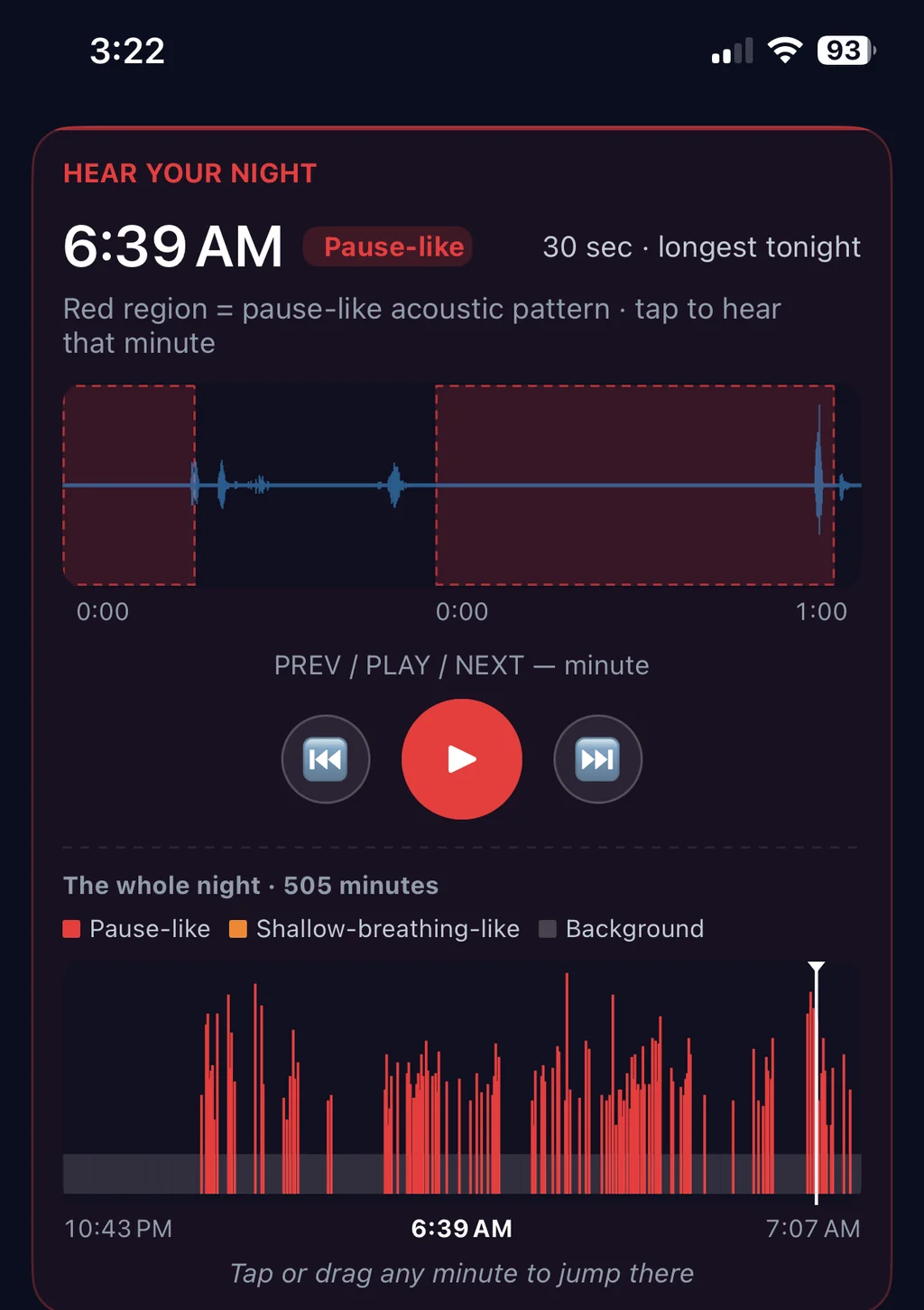
To review a possible breathing pause, listen to the complete context: the preceding breathing or snoring sound, the candidate quiet interval, and the sound that resumes. The moving pointer connects what you hear to the marked waveform. Analysis runs on your phone, and audio stays there by default unless you explicitly export or share it.
Review the recording behind a data point
A chart can show where the model found an unusual acoustic pattern. Playback gives you additional context: what the microphone actually captured at that time.
A clip may contain snoring, a quiet interval, movement, a partner, room noise, or another sound. Listening can help you understand the report, but it does not turn an acoustic label into a clinical finding.
What you may hear
Open a candidate and play its surrounding recording. Listen across the quiet interval, rather than judging silence on its own.
- Snore-like sounds identified by the model
- Quiet or reduced-breathing-like intervals marked for review
- Other room sounds that may explain or add context to a candidate event
Phone audio alone cannot establish airway anatomy, airflow reduction, oxygen level, arousal, or a medical condition. Use clips as supporting context within your multi-night wellness record.
Why on-device — and what that means for your audio
Your sleep audio is more intimate than most people realize. It contains things your conscious memory doesn't. It contains your partner. It contains conversations you had after going to bed. It contains the dog scratching at the door at 2 a.m.
So here's exactly what happens with it:
- The AI runs on your phone. Audio doesn't get sent anywhere by default.
- Recordings and clips are kept in app-controlled local storage. You can delete sessions from the app.
- Audio leaves the device only when you use an explicit sharing or export action provided by the app or operating system.
I designed it this way because if I were the user, I would not put my own sleep audio in someone else's cloud. That's the actual reason — not a privacy badge for marketing.
Free vs Pro on this feature
Free: Core first-night evidence with local playback. See the app for current access limits.
Pro: Unlimited playback with longer evidence retention. Pro pays for continuity; the core candidate evidence remains available in Free.
Access and retention limits are shown in the app. Deleted or expired clips cannot be played; microphone permissions and recording quality also matter. Audio is processed on device and is not uploaded to SomniSense by default.
Free keeps core first-night evidence and local playback within the app limits. Pro adds unlimited playback and longer continuity.
Read next
- → Lifestyle Lab™ — the data that comes after you trust the audio
- → Why your sleep audio never leaves your phone — the privacy architecture in plain language
- → Every-Event Timeline — when the events happen, not just how many
- → Privacy policy — the full details of how audio is handled