The period covered
See which dates and recordings contribute to the summary. A sparse period should not look like a complete record.
Structured sleep breathing reports
Do you know what your breathing is like across a whole night?
Do you know when to look closer at your breathing—and what you can hear?
Do you know how your breathing records compare across nights?
SomniSense, a sleep apnea detector app, helps you understand how often breathing irregularities were detected in your night and when they appeared. Your breathing irregularity report brings the night into view; go straight to a marked moment to check its waveform and available sound. With Pro, review a period of nights in one readable PDF you can save or share, without piecing together separate records.
Your first complete breathing report in the app is free to view and revisit. No valid report yet? Try again free.
Use your existing compatible phone. No extra device to buy or wear.
Available in the seven app languages: English, Traditional Chinese, Japanese, Korean, Spanish, French and German.
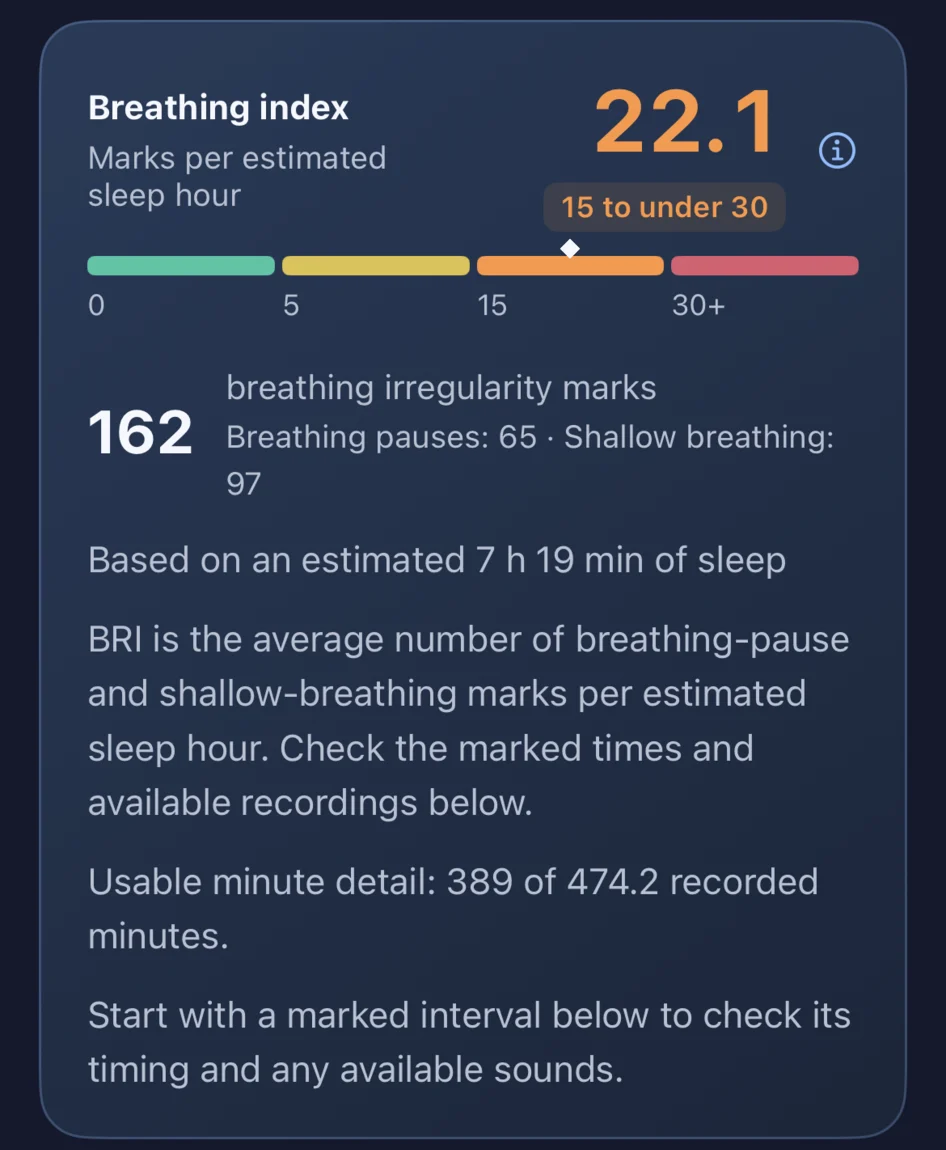
A real morning report
In the founder’s iPhone 14 recording for October 27–28, the report shows 162 breathing-pattern marks and a BRI of 22.1. These are his actual results, not a sample outcome you should expect.
Your app report brings possible breathing pauses and shallow-breathing patterns together under Breathing irregularities. How sleep apnea and hypopnea relate to these results →
BRI describes marked patterns per estimated sleep hour; the count tells you how many were marked in this recording. Neither number is a clinical sleep-apnea severity grade. How clinical severity is assessed → The night’s distribution helps you find when the marks appeared.
In your app report, select an available marked moment to follow the waveform and listen before and after it. You can check the sound behind a mark without playing the entire night.
See how to review a marked moment →
Explore the founder’s three-night observations and a separate sound-pattern example →
These personal observations show what you can review. They do not diagnose sleep apnea; a recording with no marked candidates does not rule it out.
Your morning Night Report belongs to one recording in the app. It is separate from the periodic PDF below; the PDF does not play audio.
A summary with context
Keep a period of observations in one readable PDF—without assembling scattered nightly records yourself. Save it to revisit a change, share with your partner, or bring organized background to a conversation.
Pro weekly and monthly reports bring available breathing observations, multi-night patterns and period comparisons together. The PDF keeps observations, methods and interpretation limits in one place; return to the app to review available audio.
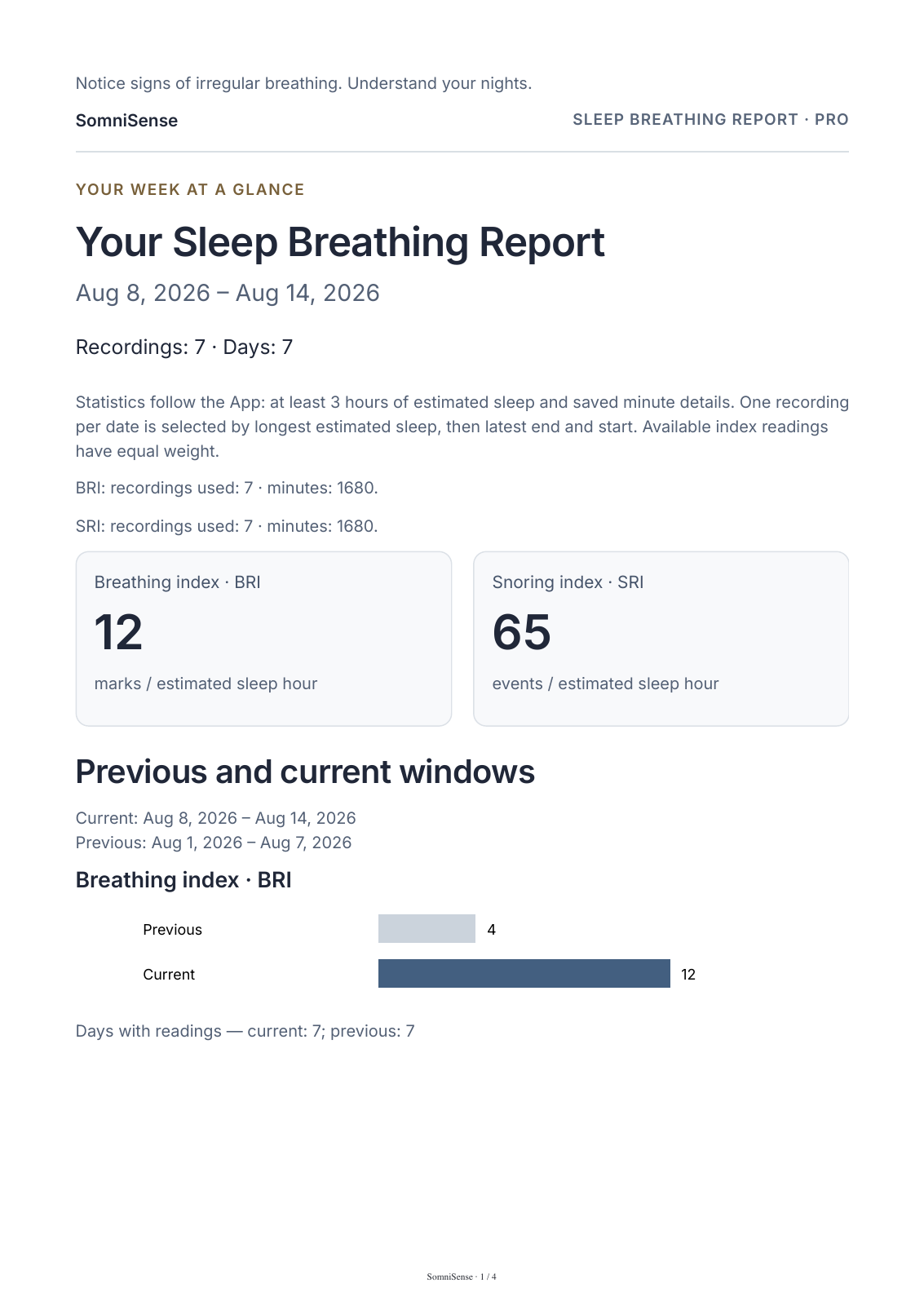
See which dates and recordings contribute to the summary. A sparse period should not look like a complete record.
Review breathing observations and their patterns, with snoring shown separately. A quieter night does not automatically mean fewer breathing candidates.
Keep previous/current periods and available tagged-night observations together. Sample coverage and limits help you interpret a difference.
The report uses phone-audio estimates. It does not measure airflow, blood oxygen or respiratory effort, and is not a clinical sleep report. It cannot diagnose sleep apnea, rule it out, or establish that a tagged change caused an outcome.
A brief snoring summary, with available breathing results from your free reports. It does not add ongoing multi-night breathing analysis.
Ongoing breathing observations, multi-night patterns and period comparisons when there is enough comparable data.
In the app’s account area, open Email reports to check your account email, report language and schedule. Make sure email reports are enabled, then save your settings. Your PDFs arrive by email on that schedule when records are available, ready to save or share. Your morning Night Report is available separately in the app after analysis.
Use your existing compatible phone to make your first recording and inspect its complete breathing report in the app. Then decide what you want to keep observing.
Your first complete breathing report is free to view—and stays free to revisit. No valid report yet? You can try again for free. Recording and analysis stay free. Pro unlocks later complete breathing reports; snoring stays free.
Want a result from your own night? Start at home with the phone you already have and explore your first complete report free.